Setup Guide

Website Setup <span class="text-gradient">With My Help</span>

I have prepared a detailed step-by-step guide for you on how to purchase a domain and set up hosting.

Step 1: Domain Purchase (Wedos)

Creating and purchasing your web address (e.g., yourdomain.com).

The first thing to do is purchase the domain where your website will run. I recommend the Czech provider Wedos.cz.

  1. Use this link to register a Wedos domain. Just enter the desired domain format. Search domain
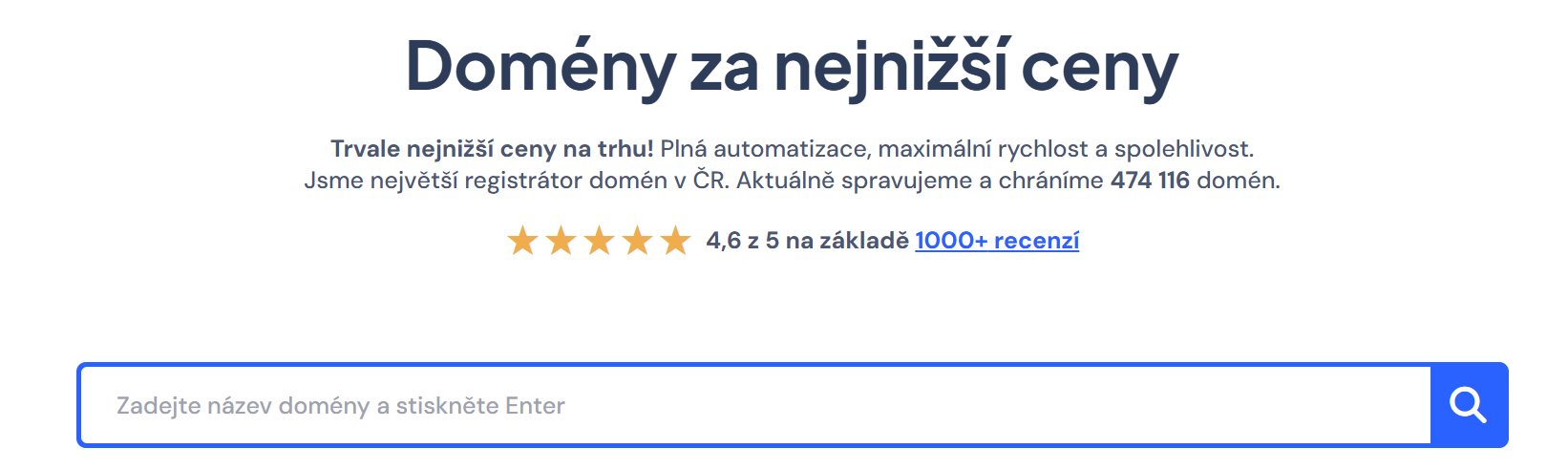
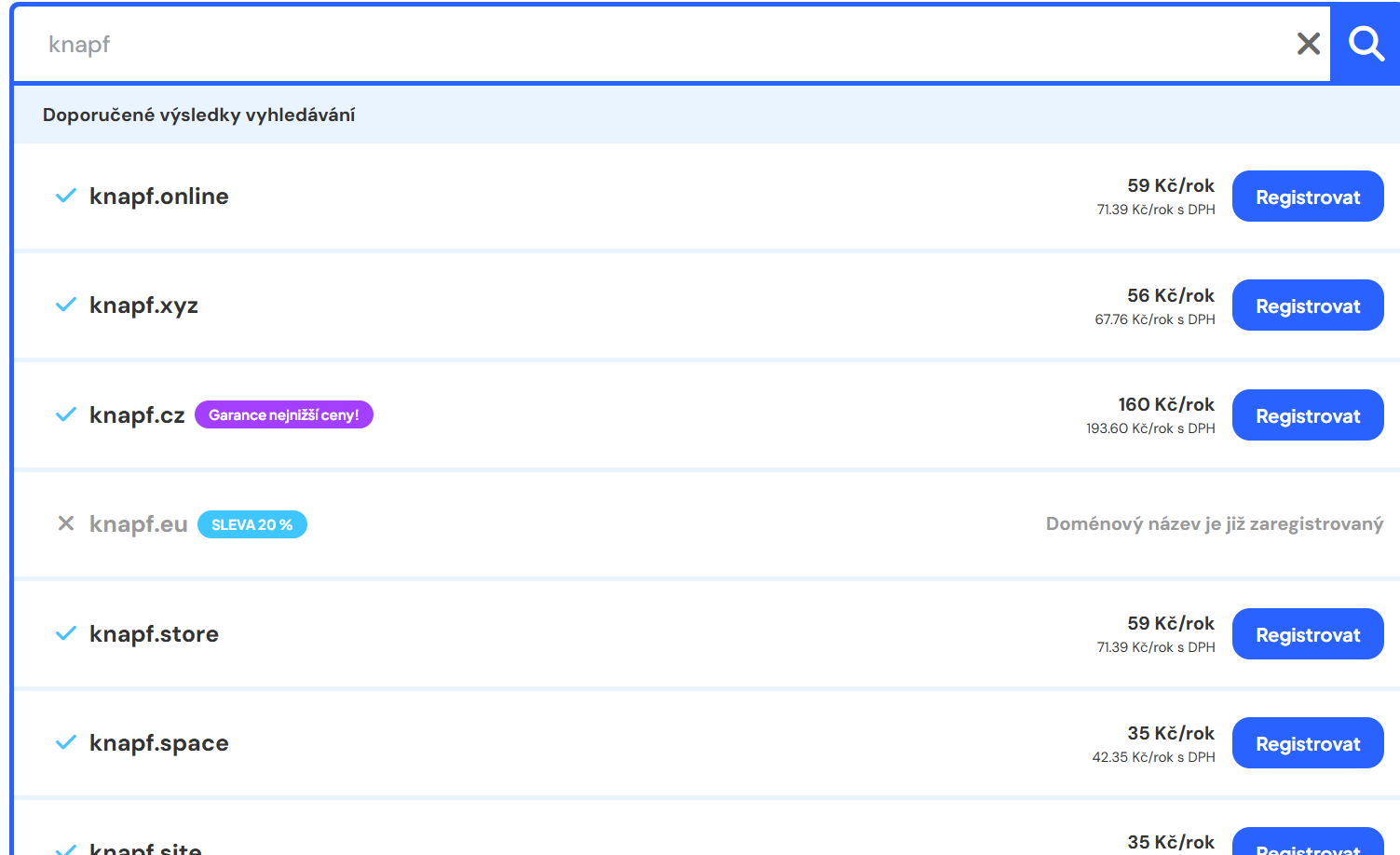
  2. After searching, select the desired extension. Select domain extension
  3. Enter the desired services and the "without hosting" variant. Variant without hosting
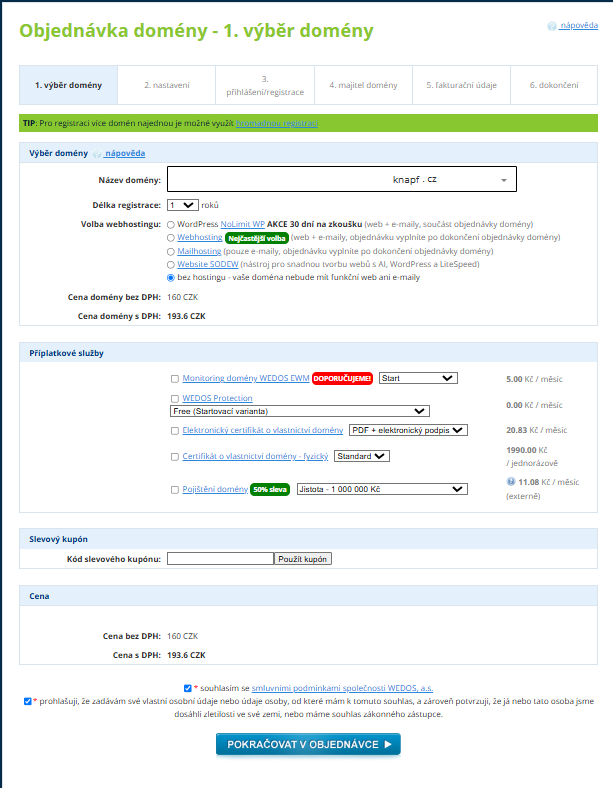
  4. Continue with the order, in the settings tab change nothing, just accept the terms and continue.
  5. Then you will need to register, or if you already have an account, log in.
  6. After logging in, you need to enter the domain owner's details, i.e., your details.
  7. Next, fill in the billing details and check for accuracy due to potential accounting documents.
  8. The final step is a summary where you review everything and proceed to payment.
Step 2: Hosting Setup (Helkor)

Creating a server where your website data will be stored.

For hosting, I can recommend the Czech provider Helkor, with whom I have been operating for several years and all their services work seamlessly.

  1. First, you need to register.
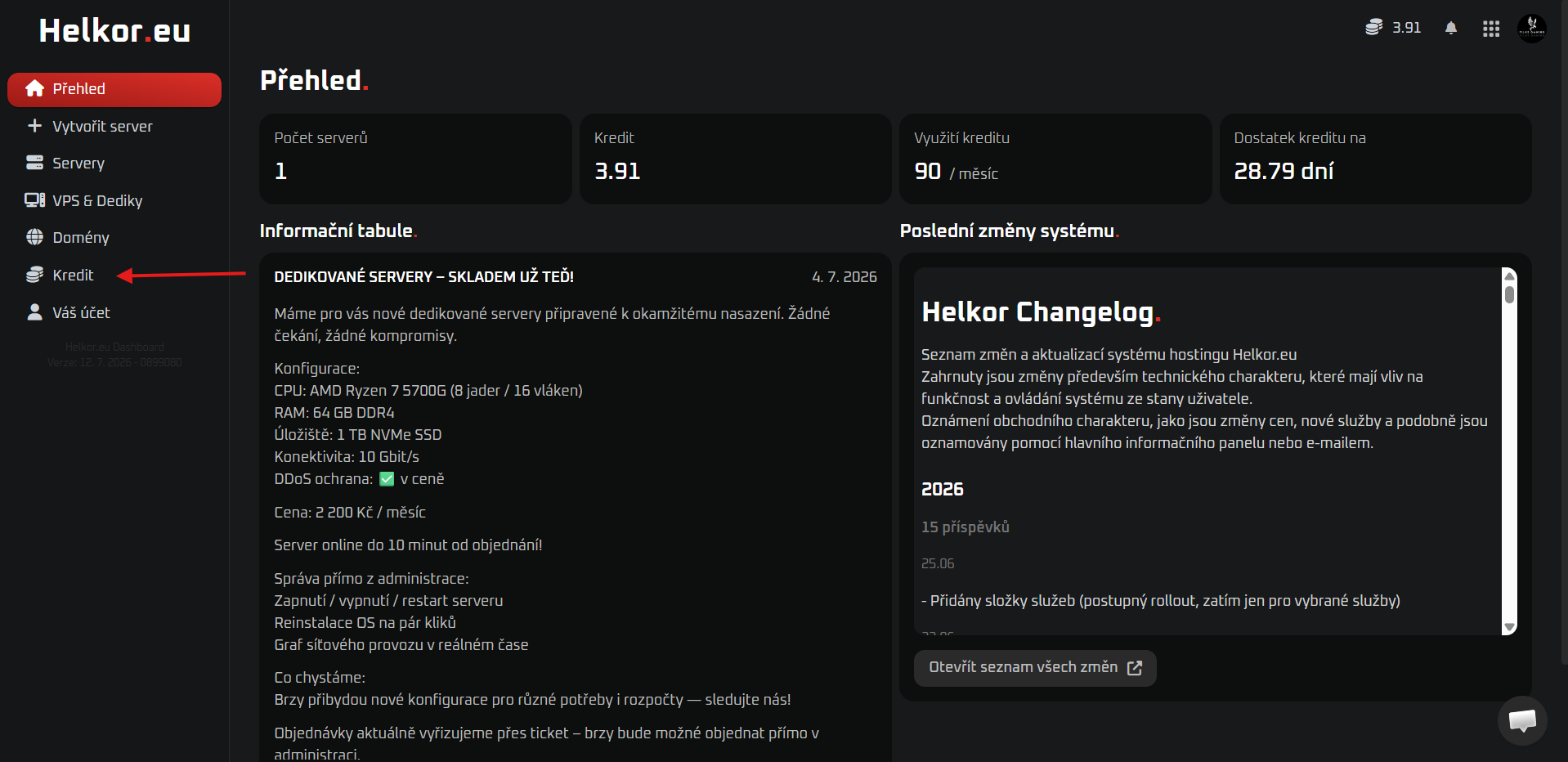
  2. After registration, you need to go to the "Credit" tab. Credit Tab
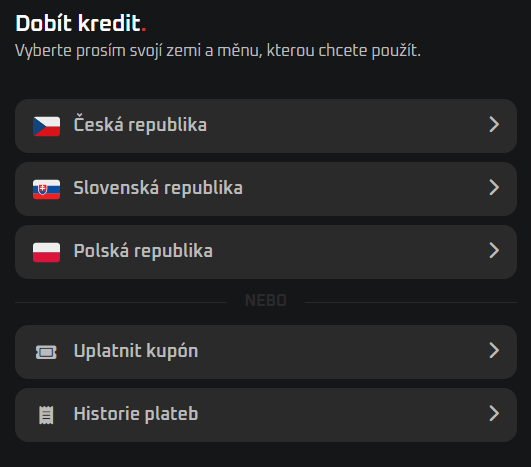
  3. In the "credit" tab, select the country/currency you want to use. Country and Currency Selection
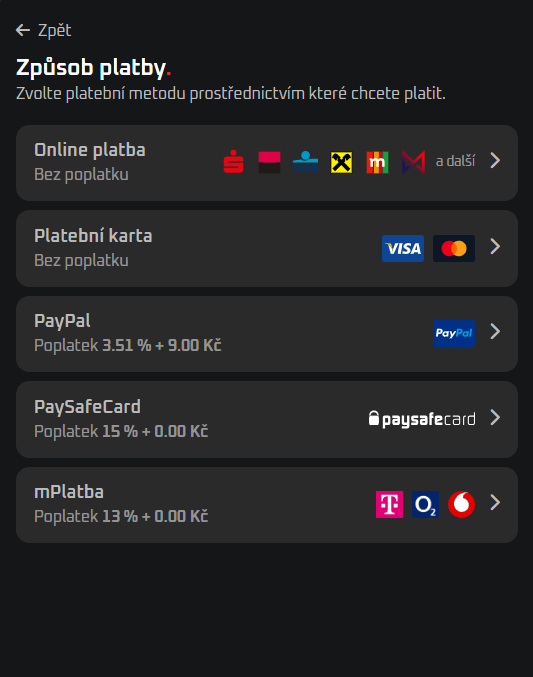
  4. Then select the payment method. Payment Method
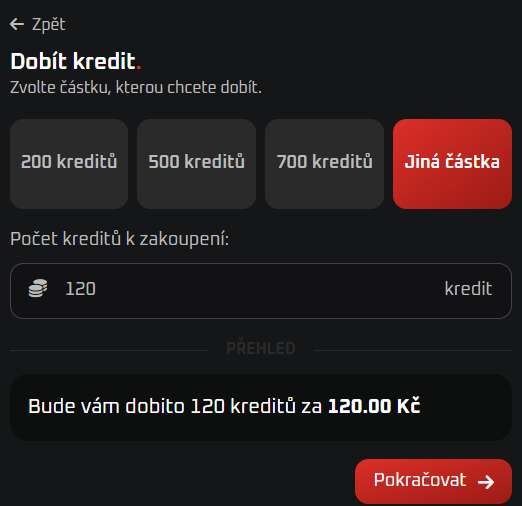
  5. Next, select the amount of credit you want to top up, for a year of website operation 120 credits or 120 CZK will be enough. Credit Amount
  6. Then fill in the billing details and confirm the order.
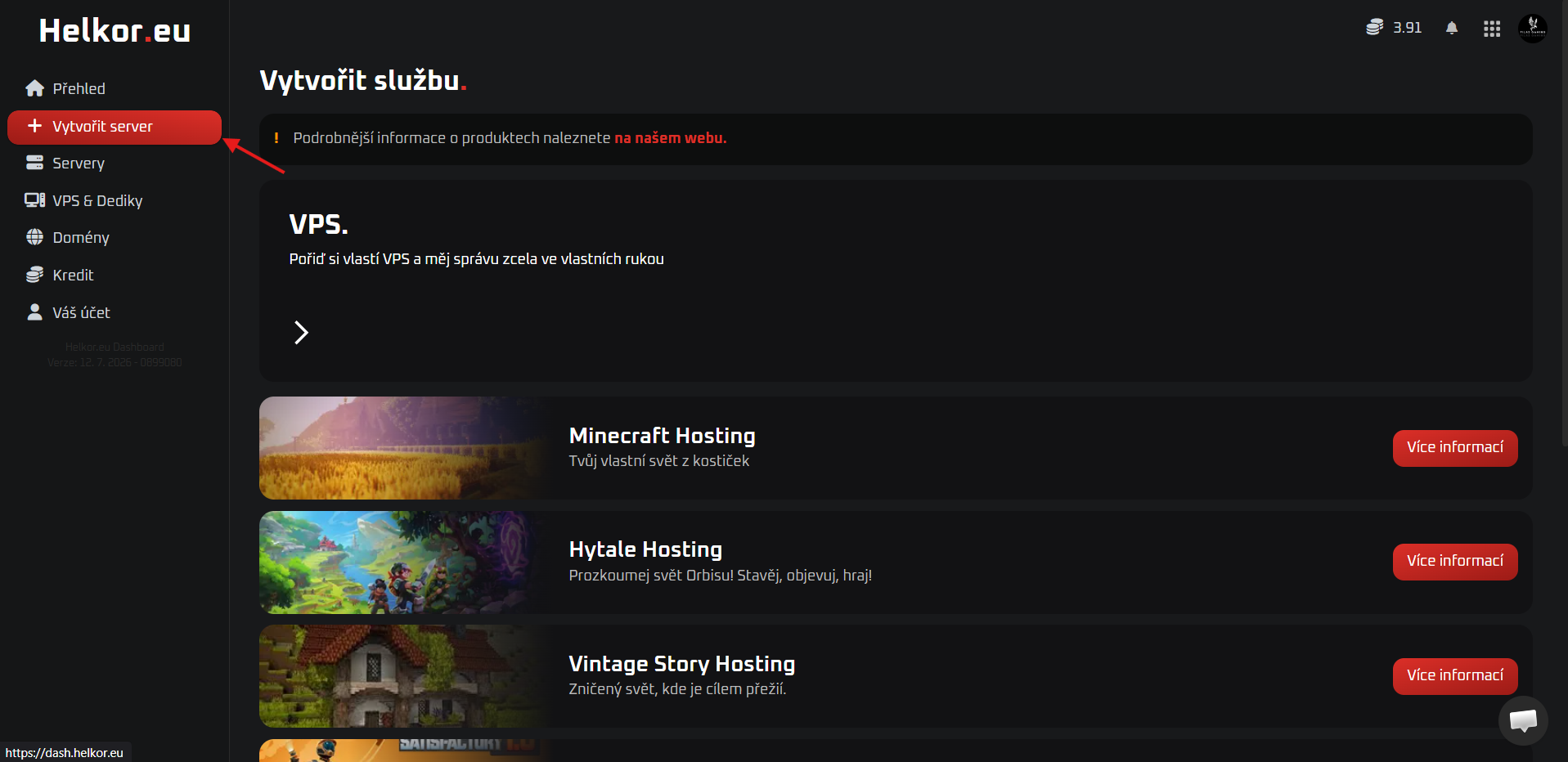
  7. After topping up the credit, go to the "Create server" tab. Create Server
  8. Scroll down where you will see other services and expand them. Other Services
  9. After clicking "Other services", just select Web hosting.
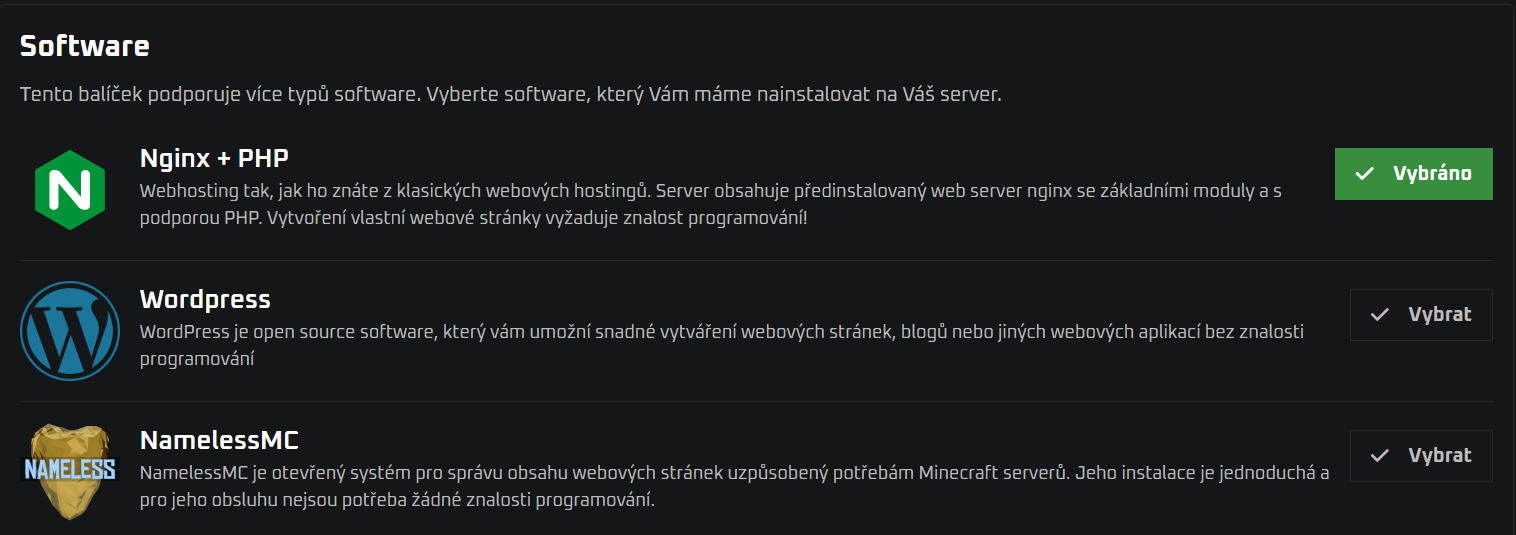
  10. In the settings, enter a name of your choice and for the software selection choose Nginx+PHP. Software Selection Nginx+PHP
  11. Then just bindingly confirm the order, which will create the website itself.

Step 3: Final Setup & Linking

Linking the Wedos domain with Helkor hosting and granting me access.

Currently, you just need to set up the domain on the hosting.

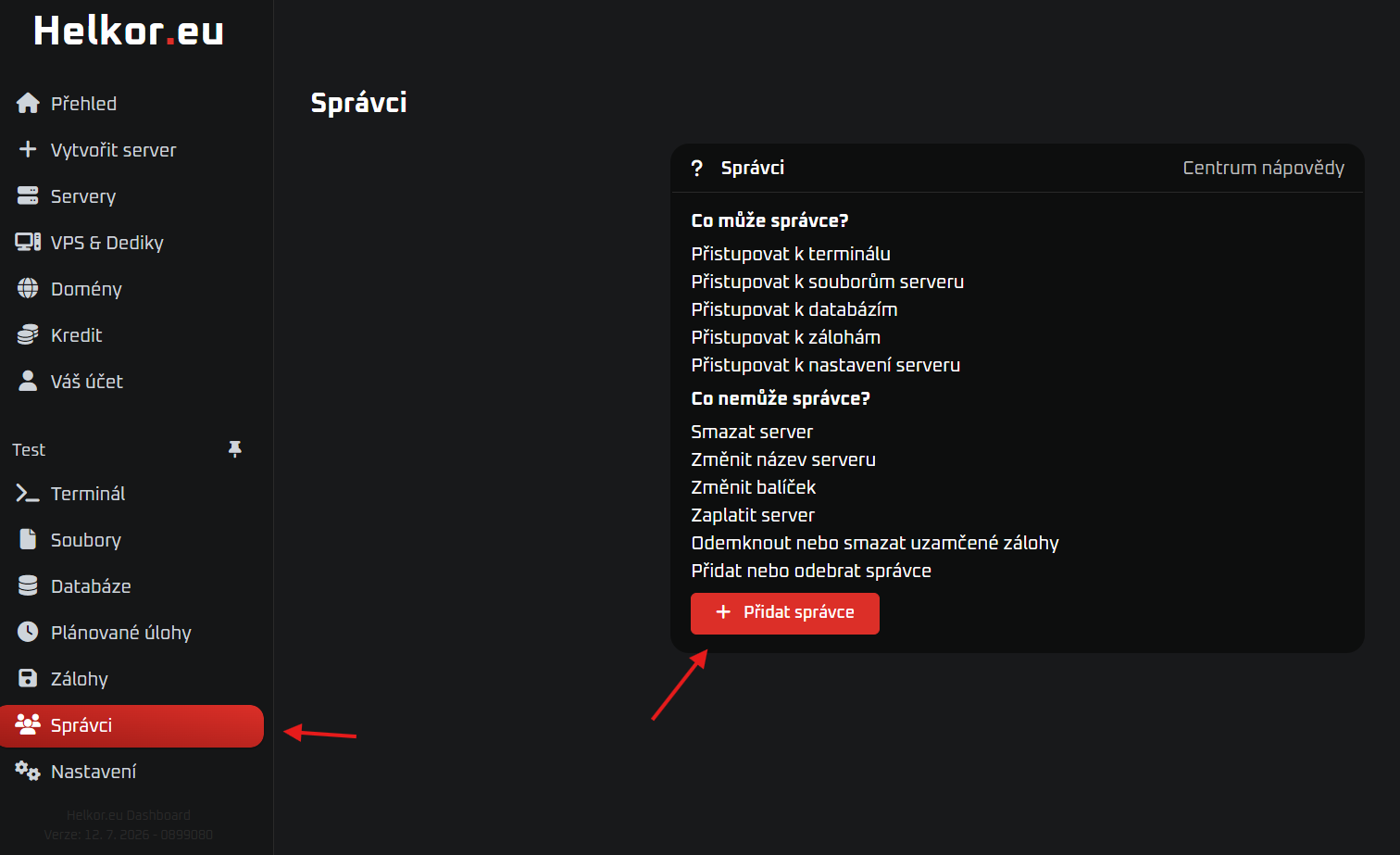
  1. Go to the managers tab on the server and add a manager, just enter the email KnapFilip@email.cz. Add Manager
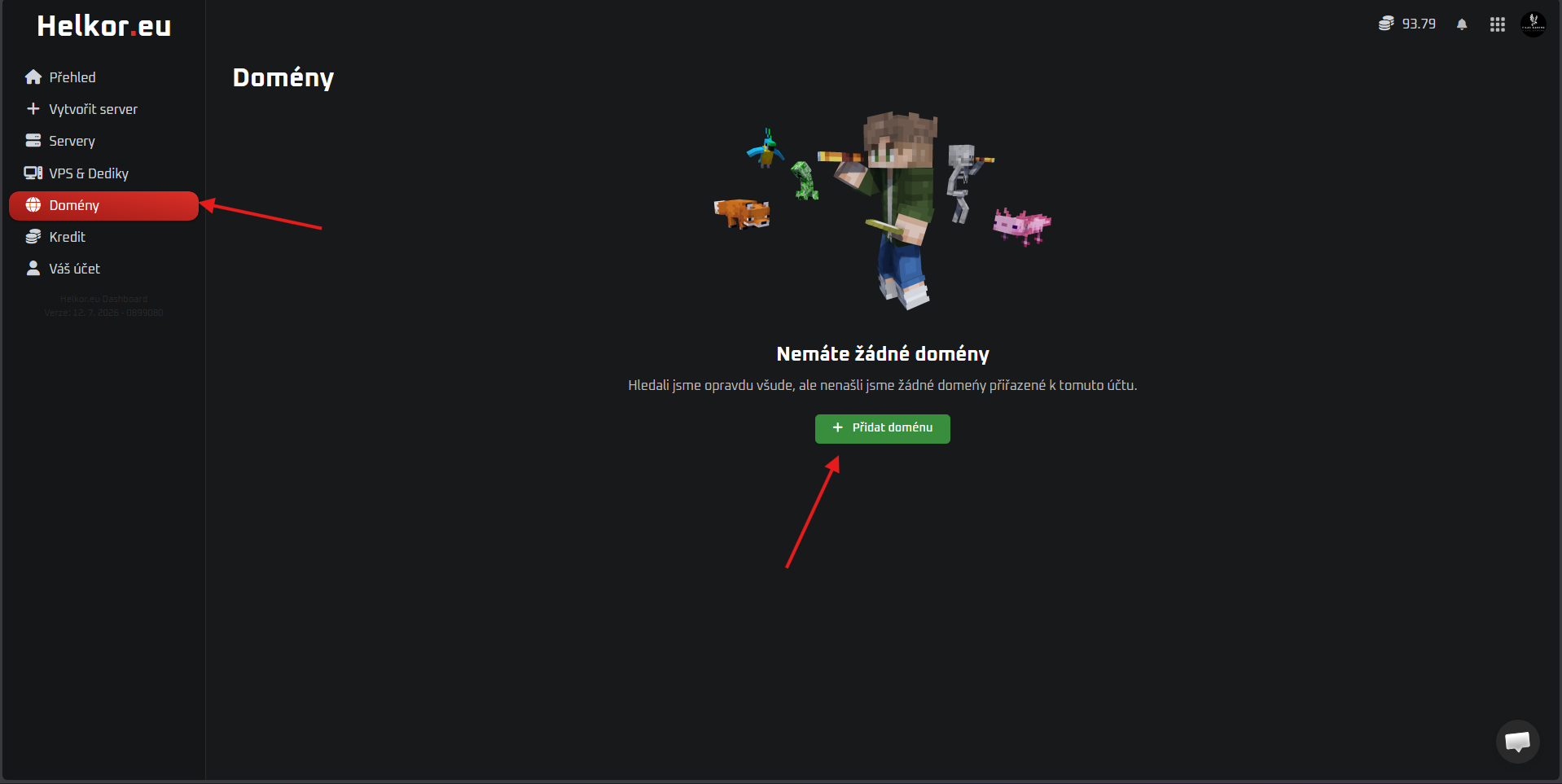
  2. Go to the "Domains" tab and click "Add domain". Add Domain
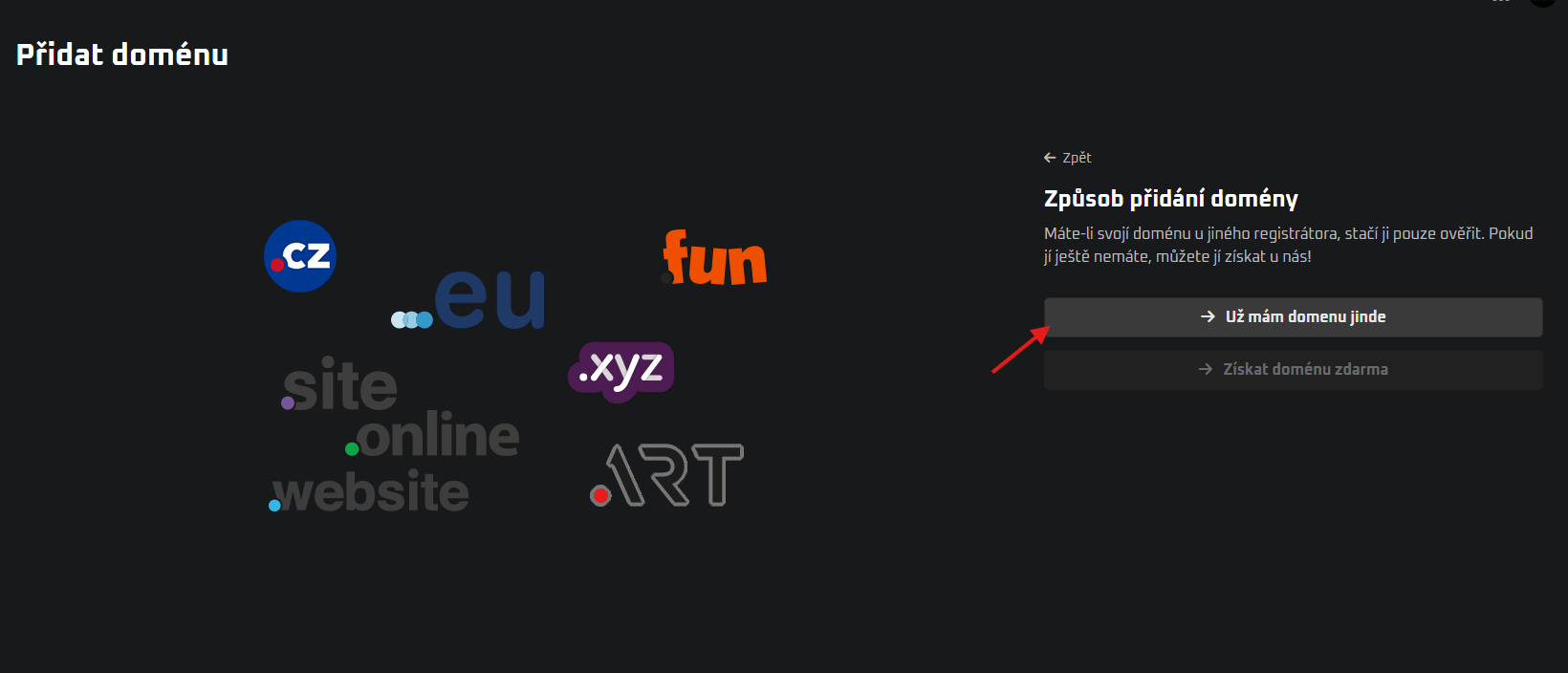
  3. Choose "I already have a domain elsewhere". Already have a domain elsewhere
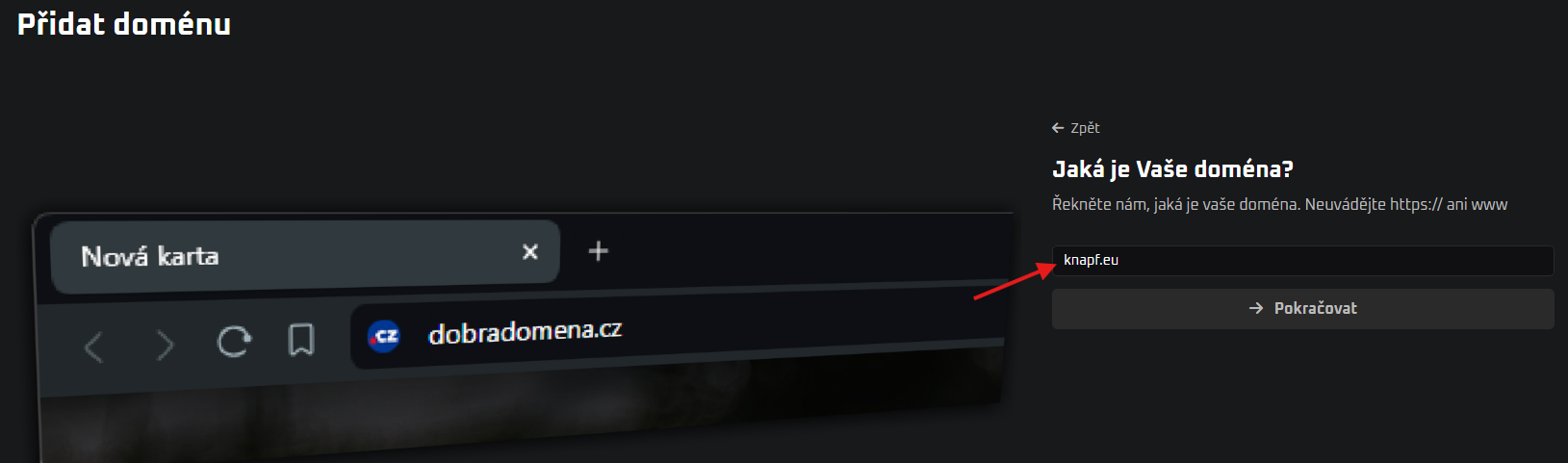
  4. Enter your domain. Enter Domain
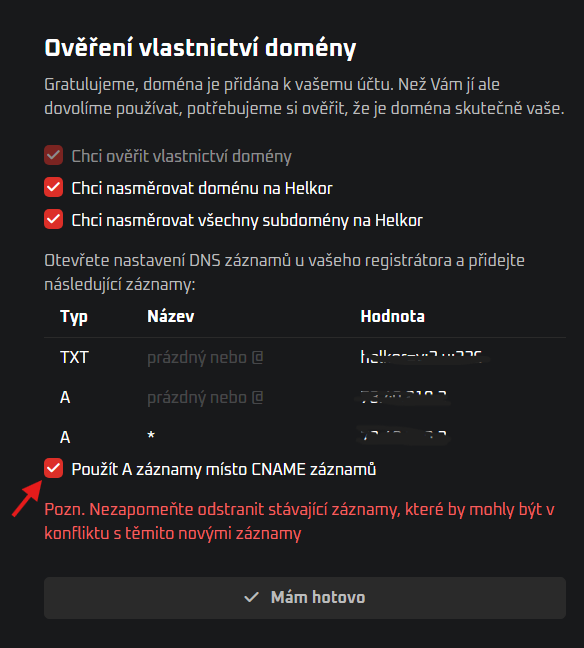
  5. Check "Use A records instead of CNAME records". DNS records Helkor
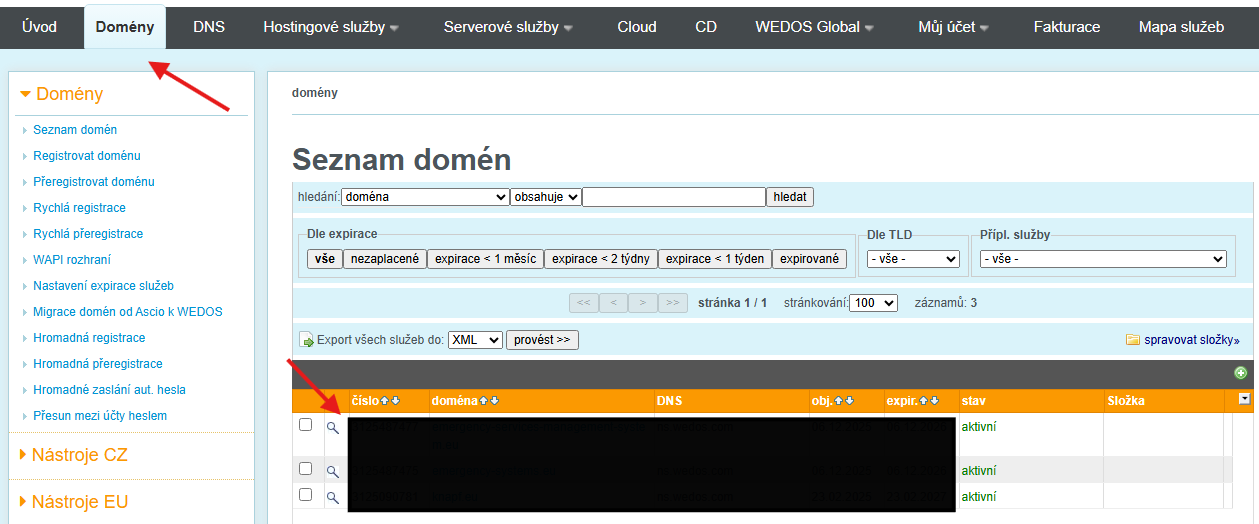
  6. Open your domain on Wedos.cz. Wedos Domain
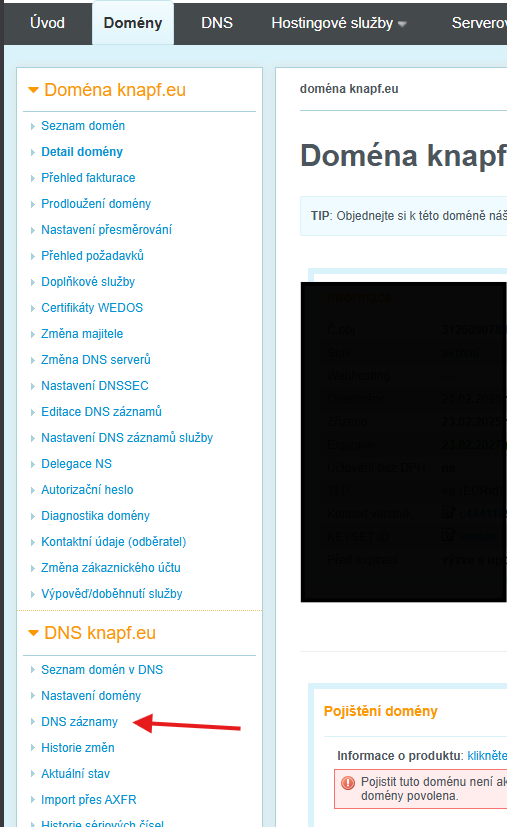
  7. Open DNS records. Wedos DNS records
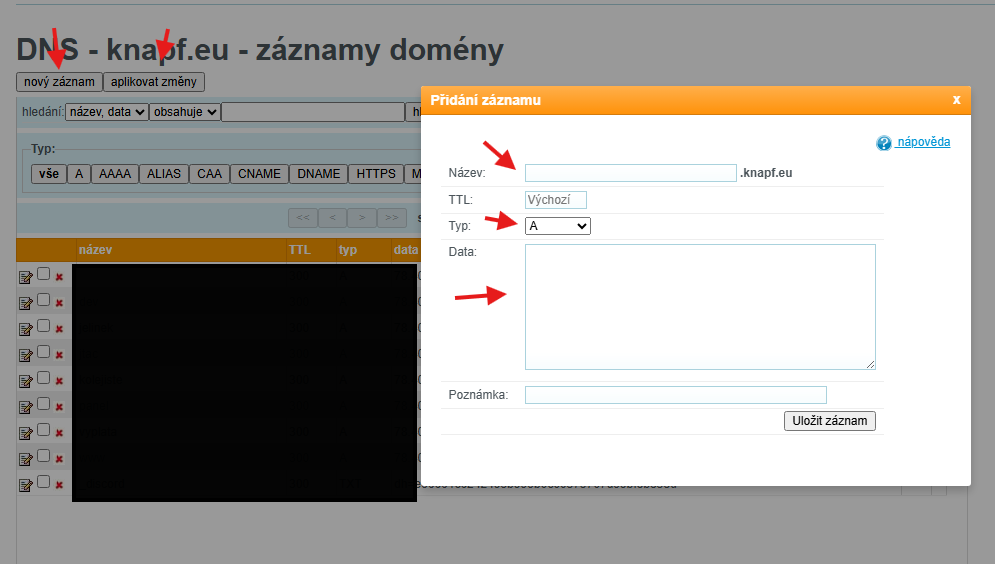
  8. Add a new record and fill in from Helkor (Value = Data). Fill DNS records
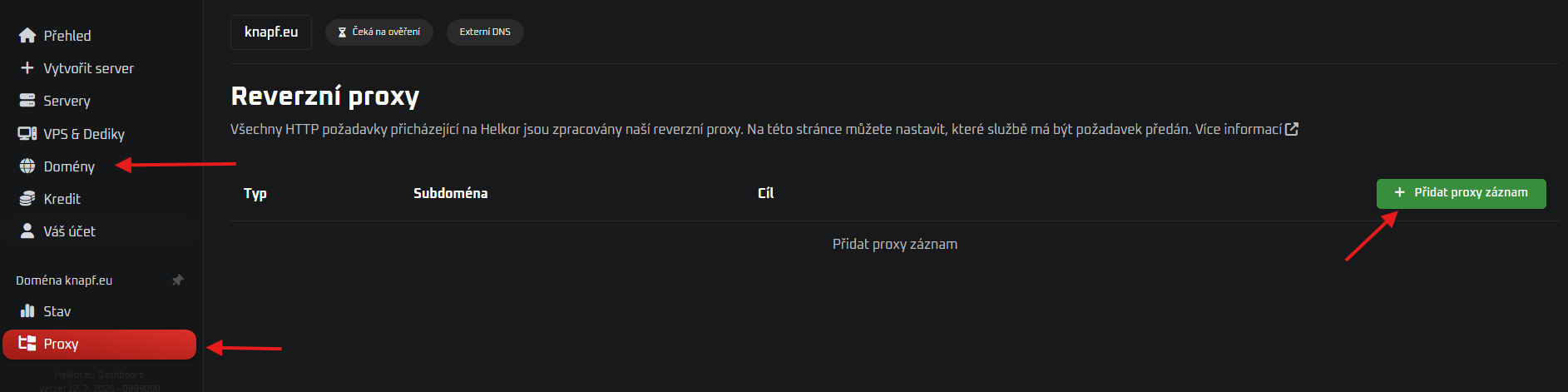
  9. On Helkor under your domain select the "proxy" tab and "Add new proxy record". Add proxy record
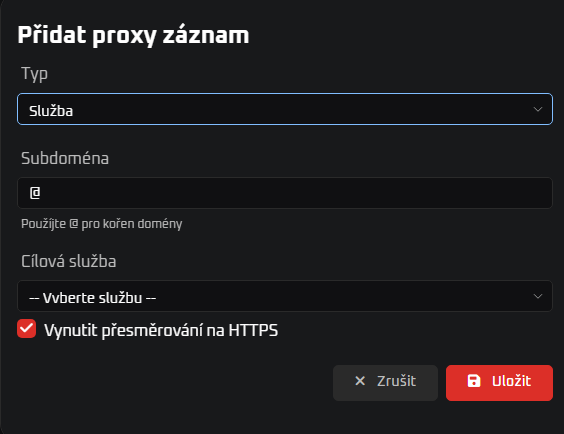
  10. Lastly, fill in the two records. (You need to select your service). Fill proxy records

Is it too much for you?

You do not have to do this alone. Write to me and I will assist you remotely.

Contact Me